Today we'll take a look a one approach for creation echo or motion blur styled effect using nothing more than some variable addition alpha blending.
PlayBASIC Code:
; PROJECT : Echo or Motion Effect; AUTHOR : Kev Picone - http://PlayBASIC.com; CREATED : 14/11/2021; EDITED : 14/11/2021; ---------------------------------------------------------------------// -------------------------------------------------------// ---------------------- MAIN LOOP ----------------------// -------------------------------------------------------type tobject
X#(10)
Y#(10)
SpeedX#
SpeedY#
Colour
endtypeDim Objects(35)as tobject
for lp=1togetarrayelements(Objects())
Objects(lp)=new tobject
x#=rnd(800)
y#=rnd(600)for poslp=0to10
Objects(lp).x#(poslp)= x#
Objects(lp).y#(poslp)= y#
next
Speed#=rndrange#(10,20)
Angle#=Rnd(360)
Objects(lp).speedx#=cos(Angle#)*Speed#
Objects(lp).speedy#=sin(Angle#)*Speed#
Objects(lp).Colour =rndrgb()next
Screen=Newfximage(GetScreenWidth(),GetScreenheight())// -------------------------------------------------------do// -------------------- MAIN LOOP ---------------------// -------------------------------------------------------for lp=1togetarrayelements(Objects())
x#=Objects(lp).x#(0)
y#=Objects(lp).y#(0)
x#+=Objects(lp).speedx#
y#+=Objects(lp).speedy#
// scroll old positions downfor oldpos=10to1step-1
Objects(lp).x#(oldpos)=Objects(lp).x#(oldpos-1)
Objects(lp).y#(oldpos)=Objects(lp).y#(oldpos-1)nextif x#<0then x#=0 : Objects(lp).speedx#*=-1if x#>800then x#=800 : Objects(lp).speedx#*=-1if y#<0then y#=0 : Objects(lp).speedy#*=-1if y#>600then y#=600 : Objects(lp).speedy#*=-1
Objects(lp).x#(0)=x#
Objects(lp).y#(0)=y#
nextrendertoimage Screen
cls0// render lockbuffer; set ink pen drawing mode to Alpha Addition / Alpha ADDinkmode1+64; step through the objects and the draw the oldest ones first; looping to the last down to first.for pass=10to0step-1
blendlevel#=cliprange#(pass/10.0,0,1)
BlendColour =255-(255*BlendLevel#)
BlendColour=Rgb(BlendColour,BlendColour,BlendColour)// Draw all the objects from this pass in one groupfor lp=1togetarrayelements(Objects())
x#=Objects(lp).x#(pass)
y#=Objects(lp).y#(pass)// Compute the objects colour with the fade level
ThisRGB =rgbAlphamult(Objects(lp).Colour, BlendColour)// draw it as a circlecirclec x#,y#,32,true,ThisRGB
nextnextunlockbuffer; set inkmode back to normalinkmode1rendertoscreendrawimage screen,0,0,falsesyncwait10loopspacekey()
PlayBASIC LIVE - Overview of Object Echo / Motion Blur Example - (2021-11-16)
Point On Line - Line Hit Point - Point Intersect Line
By: Kevin Picone | Added: October 4th, 2021
Point On Line / Line Hit Point / Point Intersect Line
This code defines a tLines data type that consists of four floating point numbers (x1#, y1#, x2#, y2#). It then creates an array of 100 elements of this data type called Lines.
It then initializes each element of the Lines array by assigning random values to its x1#, y1#, x2#, and y2# fields.
Afterwards, the code enters an infinite loop that does the following:
Clears the screen
Gets the current mouse position and assigns it to variables mx# and my#
Iterates through each element lp in the Lines array and does the following:
Assigns the x1#, y1#, x2#, and y2# fields of the current element to local variables x1#, y1#, x2#, and y2#, respectively
Calls the Point_On_Line function, passing it mx#, my#, x1#, y1#, x2#, and y2# as arguments. The return value of this function is a boolean that indicates whether the point (mx#, my#) is on the line defined by the points (x1#, y1#) and (x2#, y2#).
If the return value of Point_On_Line is True, it sets the current drawing color to a random RGB value.
It then draws a line between the points (x1#, y1#) and (x2#, y2#) using the current drawing color.
Waits for the vertical blanking interval (to prevent tearing)
Loops back to the beginning if the space key is not pressed
The code then defines the Point_On_Line function, which takes six floating point arguments: pointx#, pointy#, x1#, y1#, x2#, and y2#. It returns a boolean value indicating whether the point (pointx#, pointy#) is on the line defined by the points (x1#, y1#) and (x2#, y2#).
The function first checks if the point (pointx#, pointy#) is at least parallel to the line defined by the points (x1#, y1#) and (x2#, y2#). If it is, it calculates the nearest point on the line to (pointx#, pointy#) and checks if the distance between the two points is within a certain tolerance (1 in this case). If the distance is within the tolerance, the function returns True, otherwise it returns False. If the point (pointx#, pointy#) was not parallel to the line, the function immediately returns False.
PlayBASIC Code:
; PROJECT : POint On Line; AUTHOR : PlayBASIC TUTOR; CREATED : 4/10/2021; EDITED : 5/10/2021; ---------------------------------------------------------------------type tlines
x1#,y1#,x2#,y2#
endtypeDim Lines(100)as tLines
for lp =0to100
Lines(lp).x1 =rnd(800)
Lines(lp).y1 =rnd(600)
Lines(lp).x2 =rnd(800)
Lines(lp).y2 =rnd(600)nextdocls
mx#=mousex()
my#=mousey()for lp =0to100
x1#=lines(lp).x1
y1#=lines(lp).y1
x2#=lines(lp).x2
y2#=lines(lp).y2
ink-1if Point_On_line(mx#,my#,x1#,y1#,x2#,y2#)inkrndrgb()endifline x1#,y1#,x2#,y2#
nextsyncloopspacekey()endfunction Point_On_line(pointx#,pointy#,x1#,y1#,x2#,y2#)// compute nearest point along the line
dx31#=PointX#-x1#
dx21#=x2#-x1#
dy31#=PointY#-y1#
dy21#=y2#-y1#
l#=((dx31#*dx21#)+(dy31#*dy21#))/((dx21#*dx21#)+(dy21#*dy21#))// see if our point at least lies parallel with our line
status = l#>=0and L#<=1if Status
// if so, we compute the nearest point on the line
x#=x1#+(dx21#*l#)
y#=y1#+(dy21#*l#)// then get the distance from the line to our point.
Dist# =getdistance2d(x#,y#,pointx#,pointy#)// check if it's within a tolerance of 1, might need// to be tweaked
Status = Dist#<=1endifEndFunction status
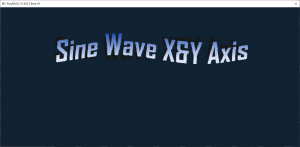
Sin Scroller X and Y axis
By: Kevin Picone | Added: June 18th, 2006
This code is rendering text to the screen in a sine wave pattern. The text will fade in and out, and the vertical position of the text will wobble. The text will also have a gradient color effect, with the color changing from blue to purple. The text is displayed in the center of the screen, and will continue to animate until the space key or escape key is pressed.
PlayBASIC - Code Snippet - Sine Wave Scroller - 18th June 2006
This is classic source code example from way back in 2006. The demo shows a simple right to left scrolling message with sine wave distortions applied. First we start with the basic scroller, next we add sine distortion on the X axis, then the Y axis finishing off by combining them..
VIDEO:
music by: https://BenSound.com
Code:
PlayBASIC Code:
; PROJECT : Sine_Scrollers; AUTHOR : Kevin Picone; CREATED : 18/06/2006; EDITED : 18/06/2006; ---------------------------------------------------------------------; load the Courier New fontLoadfont"Courier New",1,32,0MakeBitmapFont1,$ff0000; load the Courier New fontLoadfont"Courier New",2,64,0MakeBitmapFont2,$8f70a0setfont2; Make a type to hold the various bits of info ab
SineWaveWidth=32
ScrollHeight=GetTextHeight("Y"); CReate an array to hold the Scroll text in charater formDim ScrollText(0)
Read_Text_To_Scroller_Array(ScrollText()); Original Scroll buffer
ScrollBuffer=NewImage(800+(SineWaveWidth*2)+GetFontWidth(2),ScrollHeight)
ScrollBuffer2=NewImage(800+(SineWaveWidth*2)+GetFontWidth(2),ScrollHeight)setfps60RendertoScreenDoCls0; Update the Scroll Buffersetfont2
UpdateScroller(ScrollText(),ScrollBuffer); select What effect render Select Effect
case0; draw the scroll messagaeDrawimage ScrollBuffer,0,280,true
EffectName$="Standard Scroller"case1
Draw_XSine_Image(ScrollBuffer,0,280,32)
EffectName$="Scroller with sine X distortion"case2
Draw_YSine_Image(ScrollBuffer,0,280,270)
EffectName$="Scroller with sine Y distortion"case3rendertoimage Scrollbuffer2
Draw_XSine_Image(ScrollBuffer,0,0,24)rendertoscreen
Draw_YSine_Image(ScrollBuffer2,0,280,270)
EffectName$="Scroller with combined X&Y distortion"endselectifSpacekey()Inc Effect
If effect>3then effect=0flushkeysendifSetfont1
x=getscreenwidth()/2
y=GetScreenheight()/2+200centertext x,y,EffectName$
centertext x,y+50,"Press Space"Syncloop; ---------------------------------------------------------------------; Copy an Image width a X sine wave applied; ---------------------------------------------------------------------Function Draw_XSine_Image(ThisImage,Xpos,Ypos,XwaveRAdius)Static BaseAngle#
OutputBuffer=getsurface()
IW=GetImageWidth(ThisImage)
IH=GetImageheight(ThisImage)For Angle#=BaseAngle# to Baseangle#+IH
X=SinRadius(Angle#,XwaveRadius)CopyStripH ThisImage,y,0,iw,OutPutBuffer,Xpos-XwaveRAdius+X,ypos
inc Y
inc Ypos
next
BaseAngle#=wrapangle(BaseAngle#,0.5)rendertoscreenEndFUnction; ---------------------------------------------------------------------; Copy an Image with a Y sine wave applied; ---------------------------------------------------------------------Function Draw_YSine_Image(ThisImage,Xpos,Ypos,WaveRAdius)Static BaseAngle#
OutputBuffer=getsurface()
IW=GetImageWidth(ThisImage)
IH=GetImageheight(ThisImage)
Angle#=baseangle#
if iw>GetImageWidth(Outputbuffer)then iw=GetImageWidth(Outputbuffer)For x=0to iw-1
Y=SinRadius(Angle#,waveRadius); to reduce the number of blitsCopyRect ThisImage,x,0,x+2,ih,OutPutBuffer,Xpos,ypos+Y
inc xpos
inc xpos
Angle#=wrapangle(Angle#,0.5)next
BaseAngle#=wrapangle(BaseAngle#,2)rendertoscreenEndFUnction; ---------------------------------------------------------------------; Refresh Scroll Text/ Buffer; ---------------------------------------------------------------------Function UpdateScroller(ChrBuffer(),ScrollBuffer); use static variables to keep track of the displacementStatic PixelShifts,CurrentChr
CurrentSurface=getSurface(); get the current fonts + width & height
ThisFont=GetCurrentFOnt()
FontWidth=GetFontWidth(ThisFont)
FontHeight=GetFontHeight(ThisFont); Get the Scroll Buffers Width and Height
IW=GetImagewidth(ScrollBuffer)
IH=GetImageHeight(ScrollBuffer); Move the Scroll buffer 1 pixel to the left CopyRect ScrollBuffer,1,0,IW,IH,ScrollBuffer,0,0Inc PixelShifts
if PixelShifts=>GetFontWidth(GetCurrentFont())
PixelShifts=0rendertoimage scrollbuffer
; clear any left over pixels boxc iw-fontwidth,0,iw,ih,true,0; draw a new character on the end of the scroll image buffertext iw-FontWidth,0,chr$(ChrBuffer(CurrentChr)); bump the current character indexinc CurrentChr
; check if the current character index is inside the buonds; of the Scroll text arrayif CurrentChr=>GetArrayElements(Chrbuffer(),1)
CurrentChr=0endifendif; restore old render surfaceRenderToImage CurrentSurface
EndFunctionFunction Read_Text_To_Scroller_Array(Buffer())Dim buffer(0)repeat
Size=GetArrayElements(Buffer(),1)
t$=readdata$()if t$<>""redim Buffer(Size+Len(t$))For c=1tolen(t$)
buffer(size+c-1)=mid(t$,c)nextendifuntil t$=""EndFUnctiondata"Hello World... Here's some old skool scroll text"Data"......................."data""; end of scroll text
Convert Map To Collision Worlds
By: Kevin Picone | Added: August 31st, 2005
This code creates a game level with a series of randomly colored boxes on the screen, which are drawn as an image. The image is then imported into a map called "MyMap." The code then reads in a level from data statements, makes the level transparent, and draws it to the screen. The code also creates a collision world from the map, and sets up a sprite and camera.
The sprite can be moved around the screen using arrow keys, and will automatically slide off walls it hits in the collision world. The camera is positioned over the sprite, and will draw what is in view. The game will continue to loop until the space key is pressed.
PlayBASIC Code:
MyMap =NewMap(1);
TileWidth=48
TileHeight=48
Number_of_tiles =5; Loop through and draw a series of randomly coloured Boxes to the screenFor lp=1To Number_of_tiles
xpos=lp*tileWidth
BoxC Xpos,0,Xpos+TileWidth,TileHeight,1,RndRGB()Next; Grab the box graphics that we've just drawn as image.
TempImage=GetFreeImage()GetImage TempImage,0,0,xpos+TIleWidth,Tileheight
; Import this image into our previously defined Map. MakeMapGFX MyMAP,TempImage,TileWidth,TileHeight,Number_Of_Tiles,RGB(0,0,0); =======================================================; Read the Level in from the data statements bellow; =======================================================
Read_Level(1,1)Leveltransparent1,1,0; Draw the Level to the screen at Xpos 0 and Ypos 0
Xpos=0
Ypos=0; Create the Collision world
MyCollisionWorld=NewWorld()CaptureToWorld MyCollisionWorld
MakeCollisionWorldFromMap(MyMap,1,xpos,ypos)PartitionWorld MyCollisionWorld,64; restore drawing back to immediate modedrawgfximmediate
PLayerSize =32; Create an image of a circle (for something to look at)Cls0
Size=PLayerSize/2Circlec Size,Size,Size,1,$00ff00GetImage10,0,0,PLayerSize,PLayerSize
preparefximage10; create a sprite CreateSprite1autocenterspritehandle1,trueSpriteImage1,10spriteCollision1,true; Set collision mode to WorldSpriteCollisionMode1,4SpriteCollisionWorld1,MyCollisionWorld
; Set the Sprites Collision Circle to just smaller than then players; image. In this example the players image is also a circle.SpriteCollisionRadius1,(PlayerSize/2)-2; SpriteCollisionDebug 1,truePositionSprite1,150,150; Create a CameraCreateCamera1DoCaptureToSceneClsSceneCapturedepth100DrawMap MyMap,1,0,0; MOve the Sprite around (8 way movement)
Speed=5
Xspeed=0
Yspeed=0ifLeftKey()then Xspeed=-Speed
ifRightKey()then Xspeed=Speed
ifUpKey()then Yspeed=-Speed
ifDownKey()then Yspeed=Speed
if Xspeed<>0or Yspeed<>0; MOve the sprite, this will auto slide the sprite; off any wall it hits in the Collision World MoveSprite1,xspeed,yspeed
endifDrawAllSprites;POsition the camera over the sprite
Xpos=GetSpriteX(1)-(GetScreenWidth()/2)
Ypos=GetSpriteY(1)-(GetScreenHeight()/2)POsitionCamera1,Xpos,Ypos
; Tell the camera to draw whats in viweDrawcamera1Syncloopspacekey()end; =============================================================================; This Function converts a map Level into collision world, which is nothing; more than drawing lines around the bounding area around of the tiles. It; considers tile zero to be transparent (which is soft). Everything else is; think is hard ;; once the map is a collision world you can run ray interest on it, sliding; collision among other things..; =============================================================================AcresetConstant EdgeState_Searching =ac(1)Constant EdgeState_FoundStart =ac(1)Function MakeCollisionWorldFromMap(thisMap,Thislevel,xpos,ypos)
LevelWidth =GetLevelWidth(Thismap,thislevel)
LevelHeight =GetLevelHeight(Thismap,thislevel)
BlockWidth=GetMapBLockWidth(ThisMap)
BlockHeight=GetMapBLockHeight(ThisMap); ====================================================================; #1 first Pass over the level looking for blocks running Left to Right; =====================================================================Dot0,0
Y=Ypos
For Ylp=0to LevelHeight
Y2=Y+BlockHeight
X=Xpos
TopEdgeState=EdgeSTate_Searching
TopStartXpos=Xpos
BotEdgeState=EdgeSTate_Searching
BotStartXpos=Xpos
For Xlp=0to LevelWidth
CurrentTile =PeekLevelTile(ThisMap,Thislevel,Xlp,Ylp); Check if this tile is not our transparent tile zero If CurrentTile<>0; Check the Y position to make sure we don't step off the Level arrayiF Ylp>0; Grab the tile above our current tile
AboveCurrentTile =PeekLevelTile(Thismap,Thislevel,Xlp,Ylp-1); Check if this tile is transparentif AboveCurrentTile=0; Since there's no tile above then this must be a top; edge of the blockif TopEdgeState=EdgeSTate_Searching
inc TopEdgeState
TopStartXpos=X
endifelseif TopEdgeState=EdgeSTate_FoundStart
TopEdgeState=EdgeSTate_Searching
;' Line TopStartXpos,y,X,yLine x,y,TopStartXpos,y
endifendifEndif; Check the Y position to make sure we don't step off the Level arrayif Ylp<LevelHeight
; Grab the tile above our current tile
BellowCurrentTile =PeekLevelTile(Thismap,Thislevel,Xlp,Ylp+1); Check if this tile is transparentif BellowCurrentTile=0; Since there's no tile above then this must be a top; edge of the blockif BotEdgeState=EdgeSTate_Searching
inc BotEdgeState
BotStartXpos=X
endifelseif BotEdgeState=EdgeSTate_FoundStart
BotEdgeState=EdgeSTate_Searching
Line BotStartXpos,y2,X,y2
endifendifendifelse; close edgesif TopEdgeState=EdgeSTate_FoundStart
TopEdgeState=EdgeSTate_Searching
Line x,y,TopStartXpos,y
endifif BotEdgeState=EdgeSTate_FoundStart
BotEdgeState=EdgeSTate_Searching
Line BotStartXpos,y2,X,y2
endifendif
X=X+BlockWidth
next
Y=Y+BlockHeight
next; ====================================================================; #2 now we repeat this process, but scanning from Top to Bottom; =====================================================================
X=Xpos
For Xlp=0to LevelWidth
X2=X+BlockWidth
Y=Ypos
LeftEdgeState=EdgeSTate_Searching
LeftStartYpos=Y
RightEdgeState=EdgeSTate_Searching
RightStartYpos=Y
For ylp=0to LevelHeight
CurrentTile =PeekLevelTile(ThisMap,Thislevel,Xlp,Ylp); Check if this tile is not our transparent tile zero If CurrentTile<>0; Check the Y position to make sure we don't step off the Level arrayiF Xlp>0; Grab the tile to the LEFT of our current tile
PreviousTile =PeekLevelTile(Thismap,Thislevel,Xlp-1,Ylp); Check if this tile is transparentif PreviousTile=0; Since there's no tile then this must be the LEFT; edge of the blockif LeftEdgeState=EdgeSTate_Searching
inc LeftEdgeState
LeftStartYpos=y
endifelseif LeftEdgeState=EdgeSTate_FoundStart
LeftEdgeState=EdgeSTate_Searching
Line x,LeftStartYpos,x,y
endifendifEndif; Check the X position to make sure we don't step off the Level arrayif Xlp<LevelWidth
; Grab the tile above our current tile
NextTile =PeekLevelTile(Thismap,Thislevel,Xlp+1,Ylp); Check if this tile is transparentif NextTile=0; Since there's no tile on the RIGHT then this must be a right; edge of the blockif RightEdgeState=EdgeSTate_Searching
inc RightEdgeState
RightStartYpos=Y
endifelseif RightEdgeState=EdgeSTate_FoundStart
RightEdgeState=EdgeSTate_Searching
; Line x2,RightStartYpos,x2,yLine x2,y,x2,RightStartYpos
endifendifendifelse; close edges (if open)if LeftEdgeState=EdgeSTate_FoundStart
LeftEdgeState=EdgeSTate_Searching
Line x,LeftStartYpos,x,y
endifif RightEdgeState=EdgeSTate_FoundStart
RightEdgeState=EdgeSTate_Searching
;' Line x2,RightStartYpos,x2,yLine x2,y,x2,RightStartYpos
endifendif
Y=Y+BlockHeight
next
X=X+BlockWidth
nextEndFunction` *=----------------------------------------------------------------=*` -------- Read Map ---------` *=----------------------------------------------------------------=*Function Read_Level(ThisMap,ThisLevel)
Map_Width=readdata()
Map_Height=readdata(); Init the Level array within this Mapcreatelevel ThisMap,ThisLevel,Map_Width+1,Map_Height+1for zlp=0to map_Height-1for xlp=0to map_width-1pokeleveltile ThisMap,Thislevel,xlp,zlp,ReadData()next xlp
next zlp
EndFunction Map_Width,Map_Depth
data32data42data1,1,1,1,1,1,1,1,1,1,1,1,1,1,1,1,1,1,1,1,1,1,1,1,1,1,1,1,1,1,1,1data1,0,0,0,0,0,0,0,0,0,0,0,0,0,0,0,0,0,0,0,0,0,0,0,0,0,0,0,0,0,0,1data1,0,0,0,0,0,0,0,0,0,0,0,0,0,0,0,0,0,0,0,0,0,0,0,0,0,0,0,0,0,0,1data1,0,0,0,0,2,2,2,2,0,2,0,0,0,1,0,1,0,1,0,1,0,0,0,0,0,0,0,0,0,0,1data1,0,0,0,0,2,0,0,0,2,2,0,0,0,0,0,0,1,0,1,0,0,0,0,0,0,0,0,0,0,0,1data1,0,0,2,2,2,2,0,2,0,0,0,0,0,1,0,1,0,1,0,1,0,0,0,0,0,0,0,0,0,0,1data1,0,0,0,0,0,0,0,0,0,0,0,0,0,0,0,0,1,0,1,0,0,0,0,0,0,0,0,0,0,0,1data1,0,0,0,0,0,0,0,0,0,0,0,0,0,0,0,0,0,1,0,1,1,0,0,0,0,0,0,0,0,0,1data1,0,0,0,0,0,0,0,0,0,0,0,0,0,0,1,1,0,0,0,1,1,0,0,0,0,0,0,0,0,0,1data1,0,0,0,0,0,0,0,0,0,0,0,0,0,0,0,0,0,0,0,0,0,0,0,0,0,0,0,0,0,0,1data1,0,0,0,0,0,0,0,0,0,0,0,0,0,0,0,0,0,0,0,0,0,0,0,0,0,0,0,0,0,0,1data1,0,0,0,0,0,0,0,0,0,0,0,0,0,0,0,0,0,0,0,0,0,0,0,0,0,0,0,0,0,0,1data1,0,0,0,0,1,0,0,0,0,4,0,0,4,4,0,0,0,0,0,0,0,1,0,0,0,0,0,0,0,0,1data1,0,0,0,0,1,0,0,0,5,4,4,4,4,4,0,0,0,0,0,0,0,1,0,0,0,0,0,0,0,0,1data1,0,0,0,0,1,0,0,0,5,4,0,0,4,4,0,0,0,0,0,0,0,1,0,0,0,0,0,0,0,0,1data1,0,0,0,0,1,0,0,0,5,4,0,0,4,0,0,0,0,0,0,0,0,1,0,0,0,0,0,0,0,0,1data1,0,0,0,0,1,0,0,0,0,0,0,0,1,0,0,0,0,0,0,0,0,1,1,1,0,0,0,0,0,0,1data1,0,0,0,0,0,0,0,0,0,0,0,0,0,0,0,0,0,0,0,0,0,0,0,1,0,0,0,1,0,0,1data1,0,0,0,0,0,0,0,0,0,0,0,0,0,0,0,0,0,0,0,0,0,0,0,1,0,0,0,1,0,0,1data1,1,1,1,1,0,0,0,0,0,0,0,0,0,0,0,0,0,0,0,0,0,0,0,1,1,1,1,1,0,0,1data1,0,0,0,0,0,0,1,0,0,0,0,0,0,0,0,0,0,0,0,0,0,0,0,0,0,0,0,0,0,0,1data1,0,0,0,0,0,0,1,0,0,0,0,0,0,0,0,0,0,0,0,0,0,0,0,0,0,0,0,0,0,0,1data1,0,0,1,1,0,0,1,0,0,0,0,0,0,0,0,0,0,0,0,0,1,0,0,0,0,0,0,1,0,0,1data1,0,0,0,0,0,0,1,0,0,0,0,0,0,0,1,0,0,0,0,0,1,0,0,0,0,0,0,1,0,0,1data1,0,0,0,0,1,1,1,0,0,0,0,0,0,0,1,0,0,0,0,0,1,1,1,0,0,0,0,1,0,0,1data1,0,1,0,0,1,0,1,0,0,0,0,0,0,0,1,0,0,0,0,0,0,1,1,0,0,0,0,1,0,0,1data1,0,1,0,0,1,0,1,0,0,0,0,0,0,0,1,0,0,0,0,0,0,0,1,0,0,0,0,0,0,0,1data1,0,1,0,0,1,0,1,0,0,0,1,1,1,1,1,0,0,0,0,0,0,0,0,1,1,1,1,1,0,0,1data1,0,1,1,1,1,0,0,0,0,0,0,0,0,0,0,0,0,0,0,0,0,0,0,0,0,0,0,0,0,0,1data1,0,0,0,0,0,0,0,0,0,0,0,0,0,0,0,0,0,0,0,0,0,0,0,0,0,0,0,0,0,0,1data1,0,0,0,0,1,0,1,0,0,1,0,0,0,0,0,0,0,0,0,0,0,0,0,0,0,0,0,0,0,0,1data1,0,0,0,0,1,0,1,0,0,1,0,0,0,0,0,0,0,0,0,0,0,0,0,0,0,0,0,0,0,0,1data1,0,0,0,0,0,0,1,0,0,0,0,0,0,0,0,0,0,0,0,0,1,0,0,0,0,0,0,1,0,0,1data1,0,0,0,0,0,0,1,0,0,0,0,0,0,0,1,0,0,0,0,0,1,0,0,0,0,0,0,1,0,0,1data1,0,0,0,0,1,1,1,0,0,0,0,0,0,0,1,0,0,0,0,0,1,1,1,0,0,0,0,1,0,0,1data1,0,1,0,0,1,0,1,0,0,0,0,0,0,0,1,0,0,0,0,0,0,1,1,0,0,0,0,1,0,0,1data1,0,1,0,0,1,0,1,0,0,0,0,0,0,0,1,0,0,0,0,0,0,0,1,0,0,0,0,0,0,0,1data1,0,1,0,0,1,0,1,0,0,0,1,1,1,1,1,0,0,0,0,0,0,0,0,1,1,1,1,1,0,0,1data1,0,1,1,1,1,0,0,0,0,0,0,0,0,0,0,0,0,0,0,0,0,0,0,0,0,0,0,0,0,0,1data1,0,0,0,0,0,0,0,0,0,0,0,0,0,0,0,0,0,0,0,0,0,0,0,0,0,0,0,0,0,0,1data1,0,0,0,0,0,0,0,0,0,0,0,0,0,0,0,0,0,0,0,0,0,0,0,0,0,0,0,0,0,0,1data1,1,1,1,1,1,1,1,1,1,1,1,1,1,1,1,1,1,1,1,1,1,1,1,1,1,1,1,1,1,1,1
GetAbsolutePathToFile
By: Kevin Picone | Added: January 8th, 2023
GetAbsolutePathToFile
This function takes a base path and then computes the absolute path from this base from an assumed relative path in the file name
PlayBASIC Code:
BasePath$="D:\MyProjectFolder\Gfx\_examples"ink$ff0000print BasePath$
ink-1print""print GetAbsolutePathToFile(BasePath$, "Stuff.txt")print GetAbsolutePathToFile(BasePath$, "subfolder/Stuff.txt")print GetAbsolutePathToFile(BasePath$, "../Stuff.txt")print GetAbsolutePathToFile(BasePath$, "../../Stuff.txt")print GetAbsolutePathToFile(BasePath$, "subfolder/../../Stuff.txt")SyncwaitkeyFunction GetAbsolutePathToFile(BasePath$, Filename$)
BasePath$=replace$(BasePath$,"/","\")
Filename$=replace$(Filename$,"/","\")
Filename$=trim$(Filename$)
BasePath$=trimright$(BasePath$,"\")+"\"local Device$=GetDevicename$(Filename$)iflen(Device$)=0// if the Filename is relative, we'll try and// build an absolute path from BASE to this Filenamelocal Path$=GetFolderName$(Filename$)
FileName$=BasePath$+Filename$
// Check for "..\" in pathifinstring(Path$,"..\")Dim FolderChunks$(50)local Count=splittoarray(filename$,"\",FolderChunks$())local lp,s$
local Output=0for lp =0to count-1
s$=FolderChunks$(lp)if s$<>".."if output>=0then FolderChunks$(Output)=s$
Output++else
output--endifnext// Put it back together
Filename$=""for lp =0to output-1
Filename$+=FolderChunks$(lp)if lp<output-1then Filename$+="\"nextendifendifEndFunction Filename$